

Your website may be getting traffic but no inquiries because the visitors are not the right audience, the landing page does not match their search intent, your message or calls to action are unclear, or the inquiry process creates too much friction. In some cases, the website generates inquiries, but inaccurate tracking or poor follow-up makes the results look worse than they are.
Introduction
Bringing traffic to your website is only one part of the task; the next part requires visitors to take the right action, such as inquiring, requesting a quote, or purchasing a product. SEO services can help attract relevant visitors who are more likely to be interested in what your business offers. Unbounce’s 2024 Conversion Benchmark Report identifies a median conversion rate of 6.6% for 464 million visitors across 41,000 landing pages, making it clear that a large proportion of visitors do not complete the conversion.
Visitors may be irrelevant if they were not ready to see the webpage they accessed. In addition, the webpage may not answer their question properly, or the conversion process may cause the visitor to lose faith in the business. Therefore, a visitor could bounce if there was no clear answer to his question.
Obstacles can also occur after a visitor decides to contact you. Without proper conversion tracking, the inquiry may not be counted as a contact. In addition, you may miss leads because of a slow response. This article covers 12 common reasons websites attract traffic but fail to get inquiries from visitors.
12 Reasons Your Website Gets Traffic but No Inquiries
There is no advantage in having traffic on your website if it does not help someone to take the next step of becoming a lead. The following 12 points can be the reasons why interested visitors will not act at various stages of a website, even if website traffic is not that bad.
1. You Are Attracting the Wrong Traffic
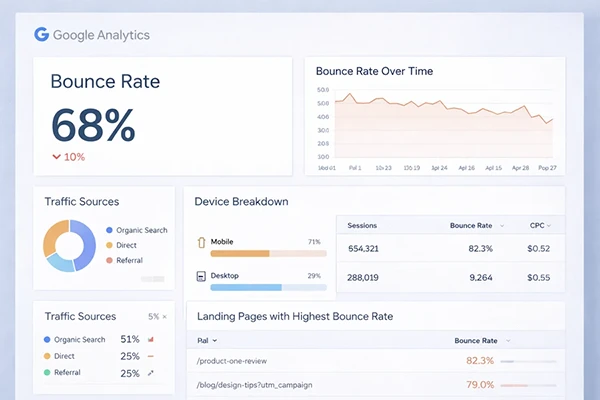
You may be getting an influx of website visitors, but no actual inquiries, since the traffic could consist of uninterested site visitors. There are various reasons why an informational keyword can drive thousands of visitors to a site while those visitors may not be in a position to spend any money on the services of a website.
For instance, searches like “what is SEO” will generate different buying intent levels compared to a search with a phrase like “SEO agency for small business.”
Traffic quality can also depend on the geographical factor in case the business only operates in certain regions. Even if a site has lots of visitors, if most of them come from regions where the business cannot operate, those visits will not bring any inquiries.
How to Check Whether You Are Getting Relevant Traffic
Check your traffic sources, queries, and locations to see whether the visitors care about the product or services you offer. If your traffic comes mostly from informational or unrelated queries, re-evaluate your keyword strategy and content creation approach instead of moving right to conversion optimization.
2. Your Landing Page Does Not Match Search Intent
Visitors are less likely to inquire when the page they visit does not match their expectations based on their search. For instance, someone searching for a web design company should be able to easily find the necessary information regarding web design services instead of going through irrelevant information.
The landing page must meet the visitors’ needs overtly and provide the relevant information without requiring them to work out whether the business can help them.
How to Check Whether Your Landing Page Matches Search Intent
Evaluate the search term against the destination page. Check if the main title, content, details about the service, and the following action all coincide with what the visitor is looking for. If a page shows an influx of visitors but they leave without taking any meaningful actions, check the connection between the search term and the content of the landing page.
3. Your Website Message Is Not Clear

A potential customer can leave your site without any inquiries if they don’t understand who your company is or what it does. Using language that is too complicated can just complicate things further.
Instead of saying “Making a difference with the advanced technologies used in the digital world,” the web design agency can say “We build fast websites for small businesses.” In the second case, it is easy to understand what kind of service and which audience group it is intended.
How to Make Your Website Message Clear
Check all the major pages to make sure that visitors can find information about what you offer and to whom it is targeted without too much effort. The core message must be straight to the point and relevant to the target audience visiting the page.
4. Your Calls to Action Are Weak

Your website could generate plenty of interest in your service, but still fail to move a visitor towards taking action if it doesn’t sufficiently explain how. Generic CTAs such as “Learn More” or “Click Here” don’t give users proper context about what they should do next.
Using a clearer CTA could lead visitors to the action you want them to take, like “Get a Quote,” “Book a Consultation,” or “Request an Audit”; however, adding too many buttons won’t necessarily make them more effective, as visitors shouldn’t have many actions to choose from.
How to Improve Your Calls to Action
Go through your website’s most important pages and think of one main action you want your visitors to take, then make it clear what it is and how it could be accomplished.
5. Your Offer Does Not Give Visitors a Reason to Act
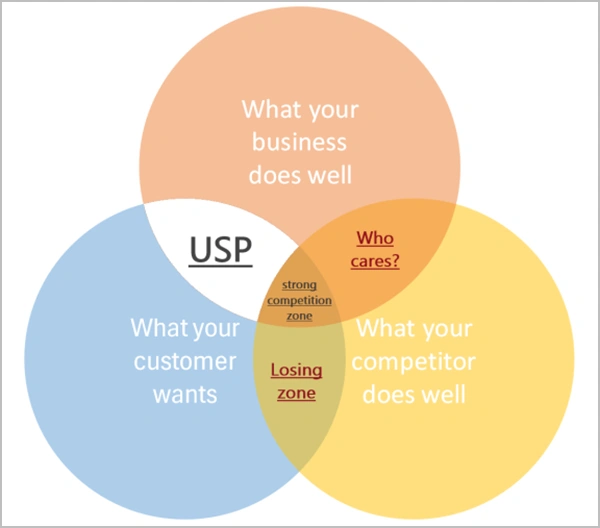
Even visitors who are aware of your service may not want to get in touch with you if your website fails to tell them what will happen after they contact you. Showing just “Contact Us” may not make potential clients take action.
The visitors have to understand what they will face once they get in touch with the company. An explanation must include response timing, means of communication, and the next steps in the process.
What Should Visitors Know Before They Make an Inquiry?
You need to specify what the visitors will get once they make an inquiry. For example, they should know that their inquiry will be confirmed and, after that, they will be contacted either via phone or email. In case you provide consultation, quotation, website audit, or project discussion, explain everything to the visitor.
6. Your Website Does Not Build Enough Trust
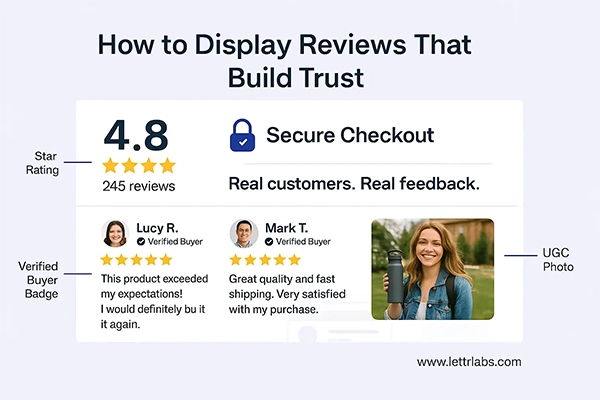
If a website fails to demonstrate its credibility and the capability to provide services effectively, customers might think twice before reaching out. This can be a serious concern in situations where the customer must invest a large sum of money and/or will be engaged with a business for a long time.
The statements and claims of a company are more credible if they are supported with evidence, so it is important to include testimonials, reviews, case studies, customer references, credentials, and years of experience.
How to Build Trust Before Asking for an Inquiry
It is important to present the evidence in the places where visitors need reassurance. For example, a case study can provide an understanding of the problem faced by a customer, how the issue was addressed, and what results were achieved. Other important information about the company and its contacts should also be easily accessible.
7. Your Mobile Experience Is Poor
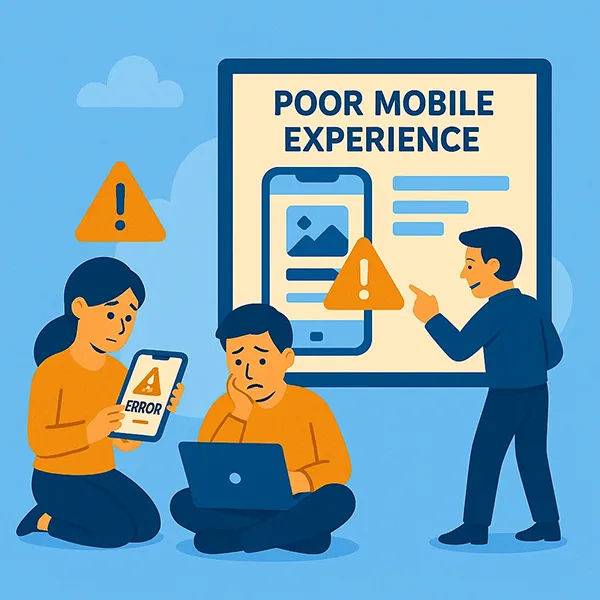
Even if a website is considered to be responsive, it may still not provide a good user experience for mobile users. Menus that are complicated, buttons that are difficult to use, pop-ups that show frequently, slow-loading pages, and forms that are hard to complete all contribute to problems in the process of inquiring online.
A seamless experience in all phases of the customer journey on mobile devices is important.
How to Check Your Mobile Conversion Experience
Follow the customer journey on mobile devices and analyze whether users can use the menu, read the information, use buttons, and fill out forms without difficulty.
8. Your Contact Form Has Too Much Friction
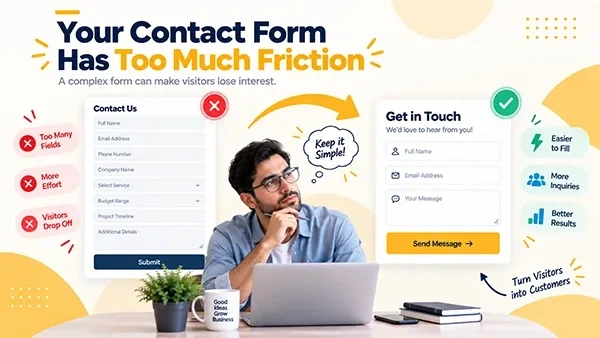
A complex contact form can make visitors lose interest and give up on their inquiry. The more fields in the form, the more effort is needed to fill it out, so businesses should evaluate whether all the required information is really necessary at the initial stage.
The simplest inquiries can be done with just the basic contact information and a brief description, while more complicated services can require additional qualification questions.
How to Reduce Friction in Your Contact Form
Fill out your forms both on computers and smartphones. Eliminate unnecessary fields, ensure validation messages are clear, and test the form for proper functionality when submitting.
9. Your Website Is Slow or Has Technical Problems

Issues such as slow loading speed and technical glitches can result in users being unable to access important information or make requests. Usability can also be negatively affected by broken links, forms not working, errors in images, and mobile performance.
Core Web Vitals allow measuring metrics such as loading performance, response time, and visual stability, which include indicators such as LCP or CLS.
How to Check Your Website’s Technical Performance
The website must be assessed for the presence of broken links and faulty forms, image errors, mobile performance issues, and any other technical problems present.
10. Your Content Gets Traffic but Does Not Encourage Action
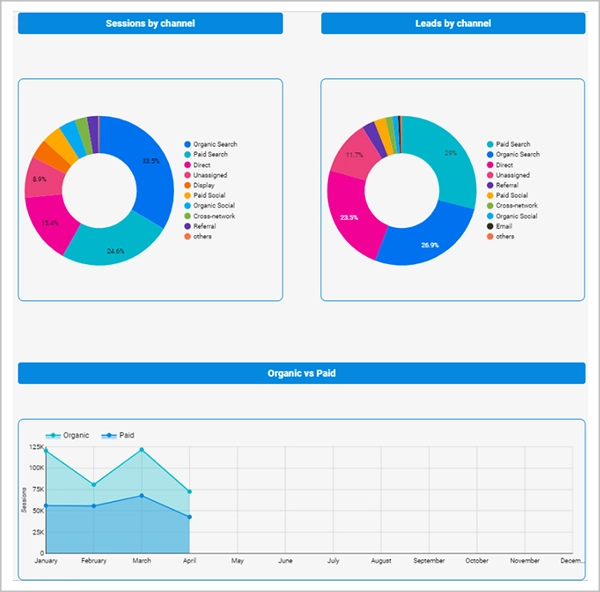
Informative content can bring in a lot of traffic but can lead to fewer inquiries, as visitors may not be ready to buy yet while reading it. A person reading about the cost of a website, for example, may still be in the research phase, not really looking for a provider.
However, this does not render the informative content useless; still, an interested visitor should be able to go to the appropriate commercial page or make an inquiry.
How to Connect Informational Content to Commercial Opportunities
Employ relevant internal links and calls-to-action to connect the informational content with the appropriate service pages and inquiry options.
11. Your Conversion Tracking Is Not Working Properly
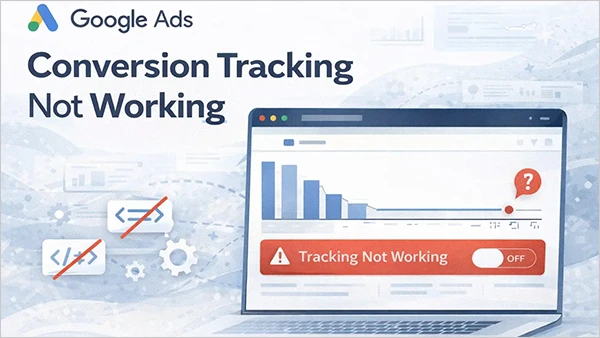
Your website might be generating inquiries, but they are not reflecting appropriately in your reports. There are many different types of conversions, and form submissions are just one type. Depending on the nature of the business, you can also track phone calls and appointment bookings.
Without proper tracking, it would be difficult to find out whether the website is facing conversion issues or whether the data is simply not being recorded correctly.
How to Check Whether Your Leads Are Being Tracked
Check whether forms, phone calls, appointment bookings, and other relevant inquiry actions are being captured correctly. GA4 provides the recommended generate_lead event for lead-generation actions, while important actions can also be configured as key events for reporting. Test the tracking before assuming that the website is failing to generate inquiries.
12. You Are Losing Leads After They Contact You
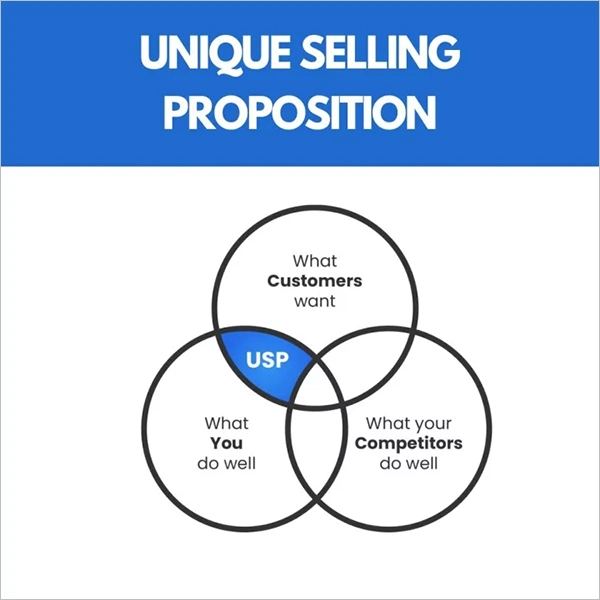
It is not necessarily the case that a conversion problem occurs on the website. A visitor can fill in a form or ring up but fail to become a customer because their request has not been followed up properly.
Missed calls. Unanswered messages, delayed responses, and poor recording of leads can turn what started off as a genuine inquiry into a lost opportunity.
How to Check What Happens After an Inquiry
After a visitor reaches out, it is wise to check how leads are being treated. It is important to assess the speed of response to inquiries as well as whether any missed calls and messages are being followed up, and how leads are transferred to the respective stages of the sales process.
Website Conversion Audit Checklist
The audit for the conversion of the website must assess the total experience of the customer right from the point of visit to the website till the processing of prospects after a possible inquiry. The list given below will help detect the points where there is a loss of customers.
| Audit Area | Checklist |
| Traffic & Intent | ☐ Review search queries to confirm visitors are looking for relevant products or services. ☐ Check whether landing pages match the intent behind the keywords generating traffic. ☐ Review traffic by location to identify irrelevant geographic visitors. ☐ Compare traffic sources to determine which channels generate relevant visitors. |
| Content & Messaging | ☐ Confirm that each important page clearly explains what the business offers. ☐ Check whether the target audience can understand the offer without searching through multiple pages. ☐ Remove vague or overly complicated marketing language. ☐ Make sure service pages address the questions and needs of their intended visitors. |
| Trust | ☐ Check for genuine customer testimonials and reviews. ☐ Add relevant case studies or examples of completed work. ☐ Verify that credentials, experience, certifications, or other supporting evidence are easy to find. ☐ Make sure important claims are supported by evidence rather than unsupported statements. |
| Calls to Action | ☐ Check whether every important page has a clear primary CTA. ☐ Replace vague CTAs such as “Click Here” with specific actions. ☐ Make CTAs easy to find without overwhelming visitors with too many competing options. ☐ Confirm that the CTA clearly explains what happens after the visitor clicks. |
| Forms | ☐ Complete every inquiry form on desktop and mobile. ☐ Remove fields that are not necessary for the initial inquiry. ☐ Check that error and validation messages are clear. |
| Mobile Experience | ☐ Test the complete conversion journey on a mobile phone. ☐ Check menus, buttons, forms, and links for ease of use. ☐ Look for intrusive pop-ups or elements that block important content. |
How to Find Exactly Where You Are Losing Inquiries
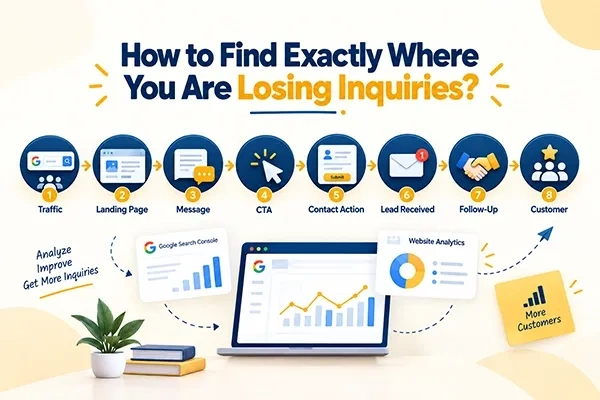
The easiest way to diagnose the problem is to treat your website as a funnel:
Traffic → Landing Page → Message→ CTA →Contact Action → Lead Recived→ Follow-Up → Customer
Each stage answers a different question.
- Are the right people arriving?
- If they are, do they understand the page?
- If they understand it, do they engage with the next step?
- If they click the CTA, can they actually complete the inquiry?
- If the inquiry arrives, does someone follow up?
- This approach prevents you from making changes based on assumptions.
Take a look at the table below:
| What You See | Possible Problem | What to Check |
| High traffic, low engagement | Wrong traffic | Search queries and landing pages |
| Good engagement, few CTA clicks | Weak messaging/CTA | Page copy and CTAs |
| CTA clicks but no submissions | Form friction | Form length and usability |
| Inquiries but few customers | Lead quality/follow-up | CRM and sales process |
| Leads received but few customers | Sales or qualification issue | CRM stages, lead handling, qualification, and follow-up |
| Qualified leads but few responses | Follow-up problem | Response times, missed calls, emails, and sales process |
Start with Google Search Console to identify which queries and landing pages are generating organic traffic. This tool provides certain search metrics such as queries, landing pages, clicks, impressions, and CTR. Google’s Insights reporting is another helpful tool to study performance over time and to check how your content is doing and whether any kind of queries are performing well.
Once the visitors are on the website, it is possible to get analytics data about their actions on the site and whether they take the necessary actions or not.
Thus, it is important to consider the connection between the different indicators and not treat them separately.
How to Fix a Website That Gets Traffic but No Inquiries
Never make any changes to all areas of your website at once. Use the data available from your conversion audit to find the area with the highest loss, and after consulting your data, make the necessary change and check if this will backfire positively.
1. Start With the Biggest Conversion Drop-Off
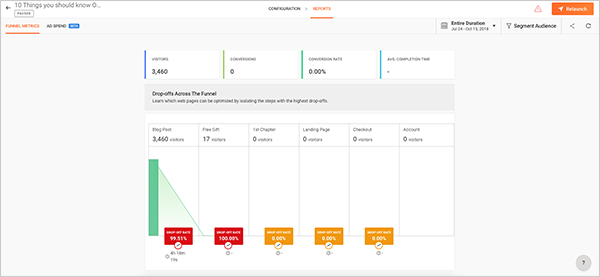
Use your funnel data to define where the highest proportion of visitors drop off. Instead of trying to change all factors at once, such as traffic, content, forms, and follow-up, concentrate on the spot of the greatest loss.
2. Separate Traffic Problems From Conversion Problems
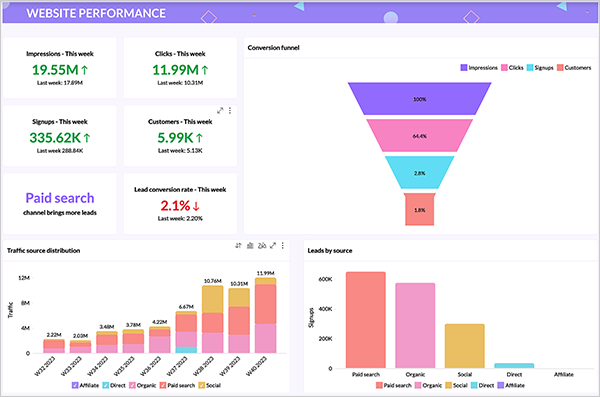
Before making any changes to your landing pages or calls to action, determine whether the situation is connected to irrelevant traffic or relevant visitors failing to turn into paying customers. This way, you will avoid mistakes when making conversion-related alterations to overcome the traffic-related problem.
3. Fix One Conversion Barrier at a Time
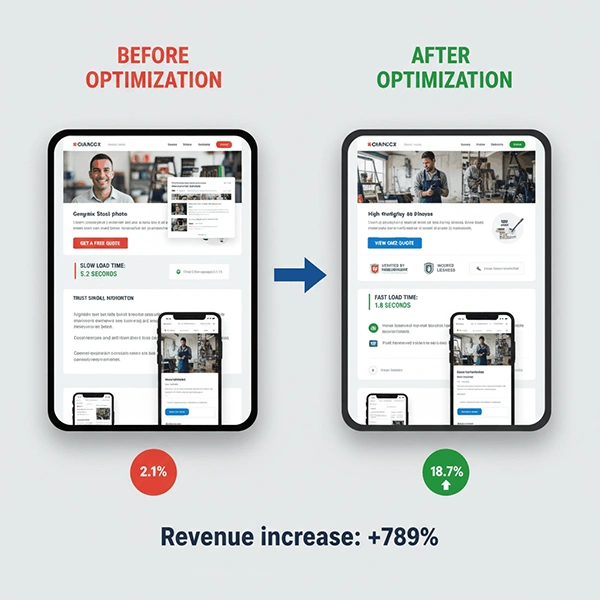
After spotting the primary loss point, take steps to eliminate the problem causing it. For instance, make the form simpler when users quit it, or boost the call-to-action when activity is noticeably low.
4. Test Changes Against Your Existing Performance
First, measure the current conversion number, number of inquiries, and pertinent funnel indicators in advance of introducing the changes. After implementing the modifications, compare the new data with the previous level to see if the change proved effective.
5. Check Lead Quality, Not Just Lead Volume
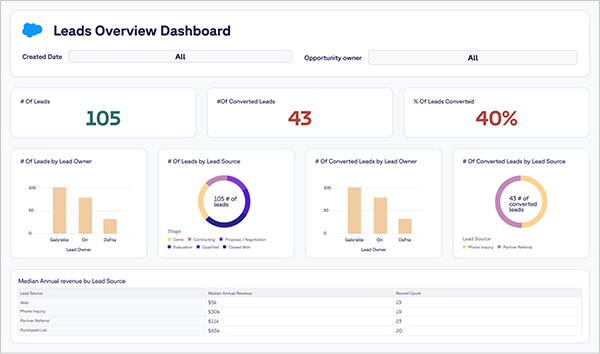
It should not be assumed that an increase of inquiries shows that the website works better. Check whether the new leads you received match your business’s activities and areas of service.
6. Connect Website Data With Sales Outcomes
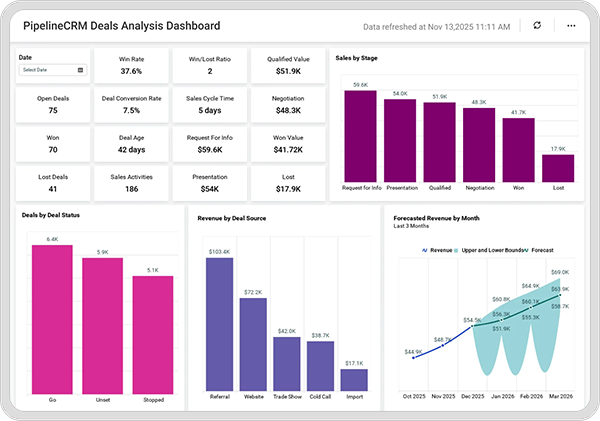
Checking the conversions on your site against the pending inquiries provides indications of where the problem happens.
7. Document What Changes and What Happens
Document important changes made to the site together with inquiry and conversion metrics. This helps to find out which changes resulted in better performance metrics and which ones did not.
8. Continue the Audit as a Process
Conversion optimization should not stop after one round of fixes. Keep examining the traffic, engagement metrics, inquiries, lead quality, and customer results so that new friction points may be discovered as the site and business evolve.
FAQs
Why is my website getting traffic but no inquiries?
Your website is likely attracting either the wrong visitors or failing to convert the right visitors. Common causes include irrelevant traffic, poor search-intent alignment, unclear messaging, weak calls to action, insufficient trust, difficult forms, mobile usability problems, technical issues, inaccurate conversion tracking, and poor follow-up.
Why is my website getting traffic but no leads?
A website can receive substantial traffic without generating leads when visitors have low commercial intent or encounter problems that prevent them from taking action. Check where your traffic comes from, whether your landing pages match visitor intent, and whether the inquiry process is clear and easy to complete.
How can I convert website visitors into inquiries?
To convert more visitors into inquiries, attract relevant traffic, create landing pages that match search intent, clearly explain your service, establish trust, and provide an obvious next step. Your inquiry process should be simple on both desktop and mobile, and important conversions should be accurately tracked.
What is a good website conversion rate?
There is no single conversion rate that is good for every website. A suitable rate depends on factors such as industry, traffic source, service, audience, location, buying cycle, and the type of conversion being measured. For businesses looking to improve these results, conversion rate optimization services can help identify and address opportunities to increase conversions. The most useful comparison is often your own conversion performance over time, combined with the quality and value of the inquiries generated.
How do I know if my website traffic is relevant?
Analyze the search queries, landing pages, locations, and devices associated with your visitors. Google Search Console shows the queries that lead users to your site and allows you to examine performance by pages, countries, and other dimensions. Compare those searches with the services, products, and locations your business actually serves.
Should I focus on SEO or conversion optimization?
You should focus on both, but the priority depends on where your current problem is. If you lack relevant visitors, SEO and other acquisition channels may need attention. If your website already receives substantial relevant traffic but generates few inquiries, improving messaging, trust, calls to action, and the inquiry process may provide a greater opportunity.
Conclusion
A site that has many visitors but few inquiries requires an assessment of the entire conversion process. Instead of concentrating on additional traffic, look to see where valuable traffic leaves and what problems are causing it.
You need to evaluate whether your traffic is the correct type, whether your landing pages fulfill the purposes of your visitors, and whether your messaging and CTAs are comprehensive enough. It is important to also analyze forms, mobile responsiveness, technical performance, conversion tracking, and how you follow up on your leads.
Carrying out a conversion audit ensures that you can take advantage of the data provided by this assessment. With regular assessments of the conversion cycle, it will be possible to uncover missed opportunities and changes necessary to ensure that your website receives inquiries that can convert into sales.