
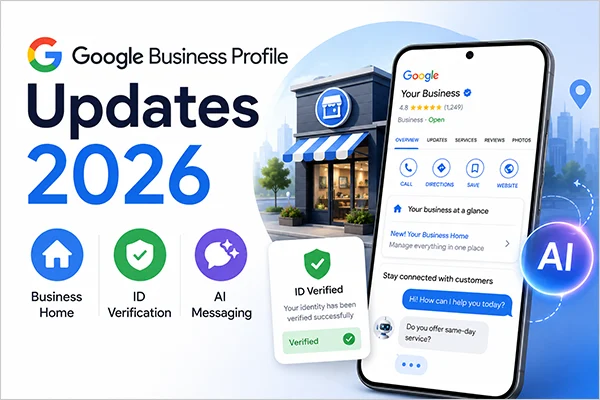
Google introduced three notable Google Business Profile updates in 2026, including the new Google Business Home dashboard, a government ID verification method, and AI-powered messaging for customer enquiries. With these changes, Google aims to improve how businesses manage their profiles, verify their identities, and communicate with customers.
However, all three updates are being introduced or are still in testing phases, so not every business has access to these features yet. Therefore, in this blog, we have covered all three updates, their key features, and how they may affect business owners.
Highlights:
|
Google Business Home: A New Dashboard for Businesses

To make business management simpler and more centralized, Google has introduced Google Business Home, a dashboard built with Gemini models that brings essential tools, including Google Business Profile, Merchant Center, YouTube, and Google Ads, in one place.
Currently rolling out as a closed beta and available only to selected business categories in the US and UK, it allows businesses to manage their online presence, create content, and engage with customers across Google and beyond.
1. Eligibility for the Business Home
To use Google Business Home, you must have:
- You must have an active Google Account.
- Your business should be based in the US or UK region.
- You must own or manage a verified Google Business Profile with fewer than 10 locations for the same business.
- You must own or manage a business within a single category. Currently, Google Business Home does not support accounts managing multiple types of businesses, such as a restaurant and a retail shop.
- You can link a maximum of one YouTube channel, Merchant Center account, and Google Ads account.
- Your Google account and business must adhere to Google Business Profile guidelines and Merchant Center policies.
2. Key Capabilities of Business Home
Here are the key features of Google Business Home:
- Manage Business Profiles & Multiple Locations: Manage business information and oversee multiple locations by updating essential details, such as operating hours, addresses, phone numbers, and services. This will help you keep your information accurate across Google Search and Maps.
- Content Creation and Brand Management: Access your media library and upload new photos/videos for each business location across multiple platforms. You can also use tools such as Creative Lab to create content and Brand Kit to organize brand assets, ensuring consistent communication across multiple platforms.
- Engage With Customers: Business Home documentation explains that you can manage your customer reviews through a dedicated Reviews tab, filter reviews by ratings & reply status, and respond to them across multiple locations. Additionally, you can set up AI-powered messaging with RCS for Business to help answer common customer questions.
- Access Connected Google Tools: Connect Google Business Profile, Google Merchant Center, YouTube, and Google Ads. You can bring all important business activities together and easily manage different aspects of your digital presence.
- AI Content Generation & Growth Guidance: Use the Creative Lab tool to create customized promotional content for your business. You can also access performance insights, review customer feedback, and use Ask Advisor to get AI-powered guidance and recommendations for improving your business operations.
3. What Does Google Business Home Include
According to the Search Engine Roundtable blog snippet, Google Business Home includes several dedicated screens, such as:
- Home
- Creative lab
- Posts
- Reviews
- Performance
- Locations
- Settings
Government ID Verification
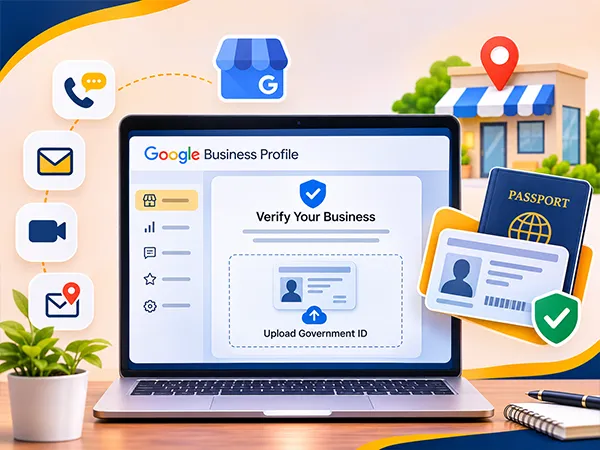
On October 20, 2026, Search Engine Roundtable reported that Google appears to be testing another verification option for some Business Profiles; that is by uploading a photo of a government-issued ID. This may include documents like your passport or a driving licence, although the accepted document types have not been confirmed yet.
Based on Google’s business eligibility and ownership guidelines, verification methods may include phone or text, email, live video calls, and mail. However, the available verification options may vary by profile, and Google determines which methods are offered for each business.
1. How Google Will Use Government ID Information
According to Google Messages during the reported test, the government ID is used only for business verification purposes and will not be displayed publicly on the Business Profile.
This distinction matters for business owners concerned about sharing personal identification details with Google.
2. What We Know About the Testing So Far
There are still many unanswered questions. Google’s official Help documentation does not currently list government ID uploads as a standard verification method; this option appears to be part of a limited test.
Also, it is unclear how Google connects the submitted ID to the business being verified or what additional business documents may be required.
3. What Should Business Owners Do
Since Google has not yet confirmed the details of these new verification options, business owners should continue following the existing verification process and take the practical steps mentioned below to avoid delays:
- Ensure the Google Business Profile owner has a valid, government-issued ID available in case Google requests it during verification.
- Ensure that your business name, address, phone number, and website details are consistent with the information provided in your official business documents. This can help avoid discrepancies during the verification process.
- Prepare relevant business registration certificates like a license, utility bills, or other documents that can establish the business’s legitimacy. Submit them only if required by Google, as document requirements vary by verification method.
- If the government ID options appear during verification, carefully review the instructions and privacy information before submitting personal documents.
- Do not repeatedly change business details or switch verification methods unless Google instructs you to do so.
AI-Powered Messaging
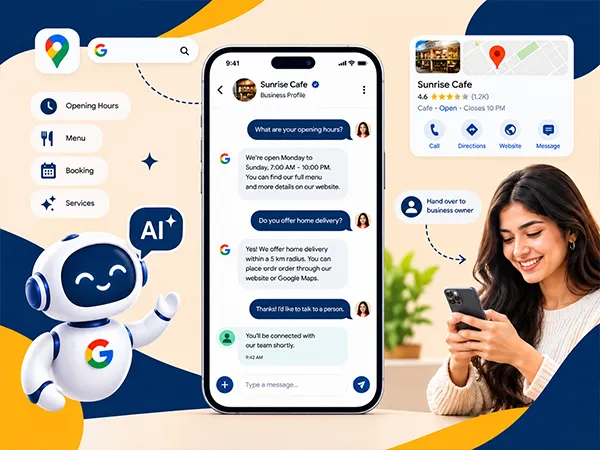
According to Google’s official documentation, last updated on October 29, 2026 (page edited November 8, 2026), Google is rolling out AI-powered messaging for eligible businesses. This will allow businesses to interact with an AI agent through Google Search and Maps.
Google is gradually expanding this feature to eligible businesses, with access depending on the business category and location.
For example, AI-powered messaging will help businesses handle routine customer questions, reducing the need for owners to respond to every enquiry manually.
1. How Google Business Profile AI Messaging Works
The AI agent can answer common questions about your business, such as operating hours, menus, services, and booking. It uses information from your verified Business Profile and website URL to generate responses, though accuracy may vary.
The Search Engine Roundtable blog explains that Google Business Profile AI messaging feature is available to eligible businesses at no additional cost, helping them manage customer engagement. However, standard SMS charges may apply when customers use a network or device that does not support RCS.
2. Business Owners Can Take Over Conversations
Although an AI agent can answer common customer queries, it does not have to handle every conversation independently. If the AI agent cannot answer a question or handle a complex request, the chat is handed over to the business owner for direct customer interaction.
All conversations can be monitored and managed through the Business Profile messaging interface or Google Business Home.
3. Availability of AI-Powered Messaging Across Countries
Google Business Profile AI-powered messaging is currently available to eligible businesses in France, Germany, the United Kingdom, and the United States (through select mobile carriers). The feature supports selected business categories, including restaurants, beauty services, and vehicle services. However, it is not yet listed as available in India.
Note: Google uses Rich Communication Services (RCS) to facilitate AI-powered conversations between businesses and customers. Customers whose devices or networks do not support RCS may receive regular SMS messages instead, for which standard messaging charges may apply.
What These Updates Mean for Local SEO
These Google Business Profile updates in 2026 highlight Google’s increasing focus on accurate business information, profile verification, and improved customer experiences.
Each update has a different practical impact on local businesses:
- Google Business Home: The centralized dashboard can make it easier for you to manage all business information, customer reviews, content, and performance across multiple locations, helping you maintain consistent profile details.
- Government ID Verification: This additional verification option may help Google confirm the identity of the business’s owners or managers, adding more layer of trust and security to profile management & customer interaction.
- AI-Powered Messaging: The AI agent relies on information from your verified Business Profile and website to answer common queries, making it easy for business owners to handle their customer engagement more effectively.
As business owners, you should not assume these updates will directly improve your local search rankings. Google has not confirmed that government ID verification or AI-powered messaging provides a ranking advantage. For now, you can prioritize maintaining a complete, accurate, and active Google Business Profile.
What Businesses Should Do Now
Use this Google Business Profile checklist to prepare for the latest updates:
- Keep your business profile information, such as business hours, services, address, website URL, and menu details, updated.
- Check that the owner’s email address and phone number are accurate.
- Keep your valid government ID and business proof ready with you for verification.
- Review Google’s available verification methods and follow the instructions provided for your Business Profile.
- Check your Business Profile for new options, such as AI-powered messaging, as availability depends on your business category and region.
- Decide which question the AI agent should answer and which should be handed over to you.
Conclusion
Google Business Profile updates 2026, including the new Google Business Home dashboard, government ID verification test, and AI-powered messaging, highlight how Google is evolving its approach to business management and customer communication. These changes aim to simplify profile management, introduce additional verification options, and help businesses handle customer enquiries more efficiently.
To further strengthen your local search presence, explore Battersea Web Expert’s local SEO services to improve your online visibility and connect with more nearby customers.
Frequently Asked Questions
Is Business Home available in India?
Google Business Home is being rolled out as a centralized dashboard for managing business tools within one interface. However, its availability in India has not been officially confirmed.
Is ID verification required?
No, Google has not yet made government ID verification a standard requirement. This option is currently part of a reported test and may appear for selected businesses.
Does AI messaging cost money?
No, Google’s AI-powered messaging feature is available to eligible businesses at no cost. However, if a customer’s phone or network does not support RCS, they may receive regular SMS and standard text messaging charges apply too.
Can I turn AI messaging off?
Yes, business owners can deactivate RCS for Business messaging through the Settings tab in their Business Profile. However, Google does not currently document a separate option to disable the AI agent while keeping RCS messaging active.
What is Google Business Home?
Google Business Home is a centralized business dashboard that brings tools such as Google Business Profile, Merchant Center, YouTube, and Google Ads together. With this, businesses can manage their online presence, create content, monitor performance, and manage their multiple locations within a single interface.
How to verify Google Business Profile with government ID?
Google is currently testing a government ID verification method for Google Business Profile. It is not yet officially listed as a standard verification method for all accounts. However, if this option appears in your business profile, follow Google’s on-screen instructions to submit your ID for verification.
How does Google Business Profile AI messaging work?
Google’s AI agent responds to routine customer questions about business hours, services, menus, and booking using information from your Google Business Profile and verified business website. However, if it cannot answer a customer query or fails to assist, the conversation can be handed over to the business owner.
How can businesses access Google Business Home?
Google Business Home is currently a closed beta available to selected business categories in the US and the UK. To check access, you can sign in to your active Google Account >> open your Business Profile on Google Search or Maps >> and select Locations from the dashboard to view your Business Home dashboard (if you are a part of the beta test).
Which countries support Google Business Profile AI messaging?
The Google Business Profile AI messaging feature is currently available to eligible businesses in France, Germany, the UK, and the US.
Can business owners turn off Google Business Profile AI messaging?
Yes, business owners can deactivate RCS for Business messaging through their Business Profile’s Settings tab. However, Google does not currently document a separate option to disable the AI agent while keeping the messaging active.
Does Google Business Home support businesses with multiple locations?
Yes, Google Business Home supports businesses with multiple locations, allowing eligible business owners to manage a single business or chain with up to 10 locations within one dashboard.
What is the difference between Google Business Profile verification and government ID verification?
Google Business Profile verification confirms that a specific business location exists, is legitimate, and that you have the authority to manage it on Google Search and Maps. Government ID verification (which Google has begun testing as an extra or alternative security step) verifies the actual legal identity of the business owner or the manager.