
- Real-World Examples of On-Page SEO Issues
- 10 Common On-Page SEO Mistakes and How to Fix Them
- Mistake 1: Writing Weak Title Tags and H1 Headings
- Mistake 2: Ignoring Search Intent on Service Pages
- Mistake 3: Using Long Blocks of Text Without Structure
- Mistake 4: Creating Copy-Paste Location Pages
- Mistake 5: Missing Important Local SEO Signals
- Mistake 6: Missing Real Customer FAQs
- Mistake 7: Neglecting Internal Linking
- Mistake 8: Failing to Include Trust Signals
- Mistake 9: Using Weak CTAs and Ignoring Mobile Performance
- Mistake 10: Failing to Update Service Page Content
- Quick Self-Check: Is Your Service Page Making These SEO Mistakes?
- Conclusion: Fix Your On-Page SEO and Improve Your Service Pages
- Frequently Asked Questions About On-Page SEO Mistakes
Many service pages on business websites get very little organic traffic and fail to generate leads. A low budget is not always the cause. More often than not, on-page SEO mistakes stop search engines from understanding your page and stop customers from trusting it.
The service page is supposed to explain what you offer, who you serve, why customers should choose you, and how they can get started. And if those details aren’t included, no matter how clean the design of the site is, converting visitors into prospects will be very hard.
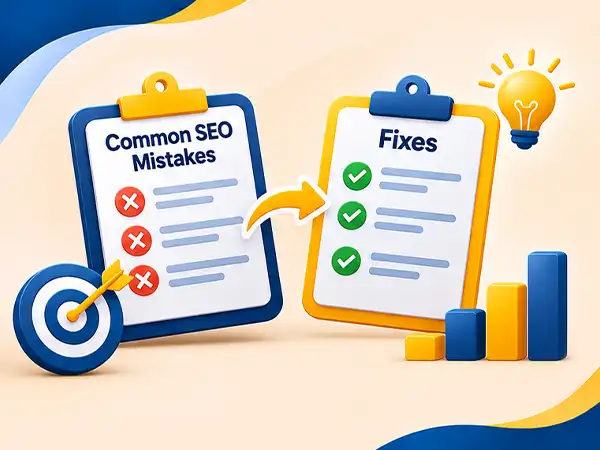
This guide covers 10 common on-page SEO mistakes on service pages and how to fix each one.
Real-World Examples of On-Page SEO Issues
Even if a company has the appropriate offerings, its website still experiences difficulty in attracting traffic from search engines when key on-page SEO components are ignored. Below are several concrete cases demonstrating how these problems apply to actual business websites.
1. Restaurant Website – Menu Page
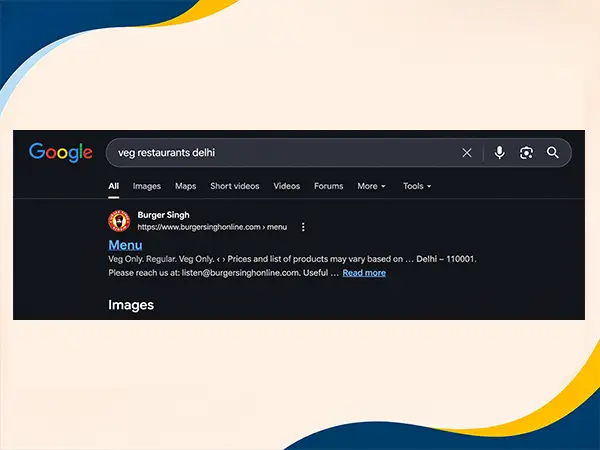
Through the analysis of famous restaurant chains, including McDonald’s and Domino’s, we observed that a common mistake is made with the way restaurant menus are displayed on the web. Many restaurant sites use menu images instead of HTML content, which can prevent search engines from indexing what is contained in the menu.
For instance, a menu that presents hamburgers, pizzas, and their prices graphically may fail to provide any textual information about the names and descriptions of separate items, thus making it difficult for search engines to read the menu.
2. Hospital Website – Service Pages
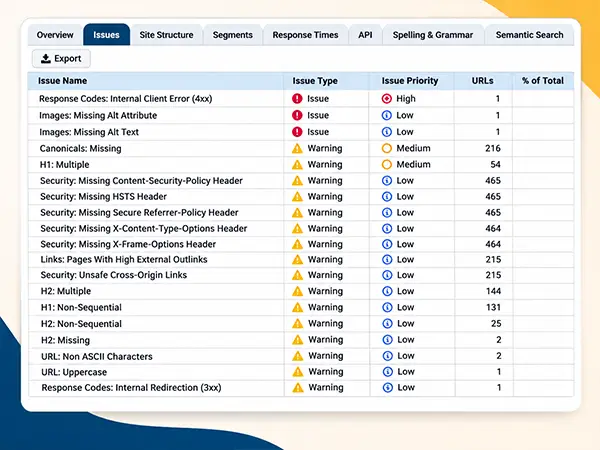
In our study of the websites of hospitals, we learned that sometimes information at the level of the department is insufficient to meet the requirements of patients looking specifically for particular details. For instance, a cardiology page could explain what the department is about but not include information regarding treatments provided there, specific procedures, specialists, and conditions that can be treated in that department.
This, in turn, makes it more difficult for the search engines to understand what services and procedures a particular page provides and match it against some healthcare requests. This is especially true for large multispecialty hospitals in Delhi such as Apollo, Max and Fortis.
10 Common On-Page SEO Mistakes and How to Fix Them
| On-Page SEO Mistake | How to Fix It |
| 1. Weak title tags and H1 headings | Use a clear service keyword, location, and relevant qualifier. |
| 2. Ignoring search intent | Address the needs of customers who want to hire a service. |
| 3. Unstructured blocks of text | Organize content with descriptive headings and short paragraphs. |
| 4. Copy-paste location pages | Create unique pages with relevant local information and examples. |
| 5. Missing local SEO signals | Add accurate business details, local proof, and relevant structured data. |
| 6. Missing useful FAQs | Answer genuine customer questions clearly and directly. |
| 7. Poor internal linking | Link related services and blogs using descriptive anchor text. |
| 8. Missing trust signals | Include genuine reviews, case studies, and business information. |
| 9. Weak CTAs and poor mobile performance | Make contact options visible and improve mobile usability and speed. |
| 10. Outdated service page content | Review information regularly and update outdated details. |
Mistake 1: Writing Weak Title Tags and H1 Headings
What It Looks Like
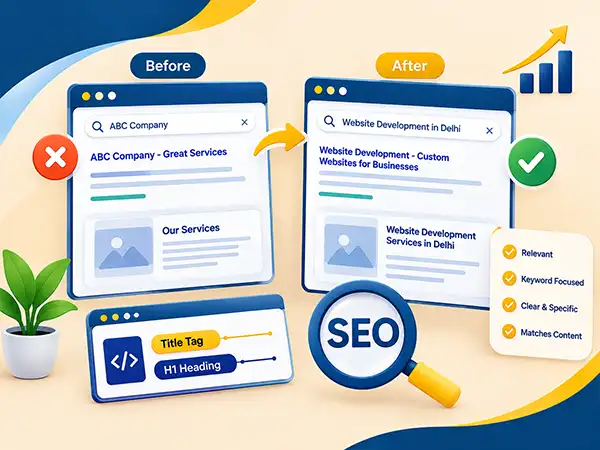
A website optimization mistake that often occurs is the use of identical title tags on several service pages. Certain businesses opt for positioning their brand name in the front, while the actual service being offered is not explained. Others stuff phrases like “best SEO company near me” into the title with the aim of winning local searches.
For instance, a business organization that offers web development might choose a title like “Welcome to ABC Company” instead of using a descriptive one. H1 title like “Our Services” does not convey much information.
Why It Hurts
Title tags help search engines understand the page and influence how it appears in search results. The H1 tells visitors what the page is about. If both are vague, the page looks less relevant to searchers.
How to Fix It
Establish exceptional title tags and H1 headings for each service-related page, incorporating the target service key phrase and location (if applicable), followed by a credible statement that sets the business apart from the competitors.
Before: ABC Company – Great Services
After: Website Development – Custom Websites for Businesses
Use H1 to naturally articulate your service, like “Website Development Services in Delhi”. Avoid unnecessary repetition of the phrases.
Make sure your title and H1 match what the page actually covers. If you need assistance with perfecting these parts, check out our on-page SEO services in Delhi.
Mistake 2: Ignoring Search Intent on Service Pages
What It Looks Like
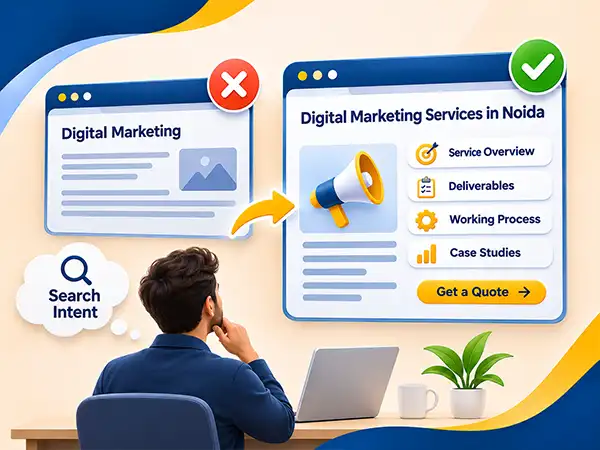
Some businesses tend to be very vague with their service page content. Take digital marketing agencies, for instance. These companies may write extensive articles about digital marketing without providing details about their services, processes, deliverables, and pricing.
The potential client who is interested in a digital marketing agency in Noida may already have a good idea about this field. The client wants to compare agencies and choose one.
Why It Hurts
Search intent refers to the goal behind the query. When one looks for a service provider, he or she hopes to get practical information that would help make a decision.
If a given page does not provide this information, it will be useless for the visitor. It may lose to other pages that do give relevant information.
How to Fix It
Ensure that you create content that satisfies the questions that a prospective customer would have regarding hiring your services.
Take into account the following aspects:
- Overview of your service: Offer a clear explanation of your offerings and indicate the clients who will benefit from the service.
- Deliverables: Specify what the client gets, such as reports, audits and timelines.
- Working process: Clearly outline every step of your service, starting from consulting and going to the finish of your service.
- Evidence: Use testimonials or case studies.
- Call to action: Make it easy to contact you or request a quote.
Instead of writing general content, answer the questions clients ask before hiring.
Mistake 3: Using Long Blocks of Text Without Structure
What It Looks Like
A page providing service information may contain elements of use but be presented in long texts. The absence of headings, the combination of several themes in one section, and the requirement for visitors to read the entire page in order to get a particular piece of information can lead to unpleasant consequences.
This happens when businesses try to meet the target number of words rather than work on the informational content organized according to the needs of customers.
Why It Hurts
Poor content structure makes the page difficult to read, especially for mobile users. Customers may leave the website before getting essential information about services.
The presence of clear headings is also important because they help search engines see the connections between different sections of the page. However, headings alone will not improve rankings if the content is not useful.
How to Fix It
Split the page into sections with clear H2 and H3 headings. Make sure that each paragraph talks about one unit of thought, and use bullet points only when you intend to write a list.
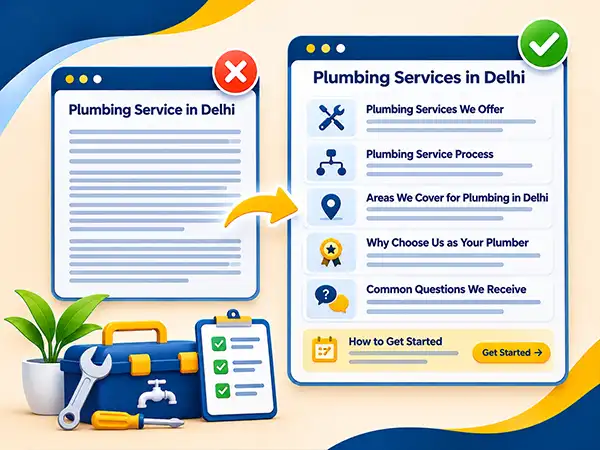
For instance, a plumbing service page for Delhi can have the following sections:
- Plumbing Services We Offer
- Plumbing Service Process
- Areas We Cover for Plumbing in Delhi
- Why Choose Us as Your Plumber
- Common Questions We Receive
Add a short “How to Get Started” section near the end. Avoid using headings only in order to incorporate keywords into the text. Each section should include answers to the questions about the service. A well-organized page enables visitors to find the required information quickly without missing important details.
Mistake 4: Creating Copy-Paste Location Pages
What It Looks Like
Companies that operate in several areas frequently put together distinct pages by substituting city names in the same template.
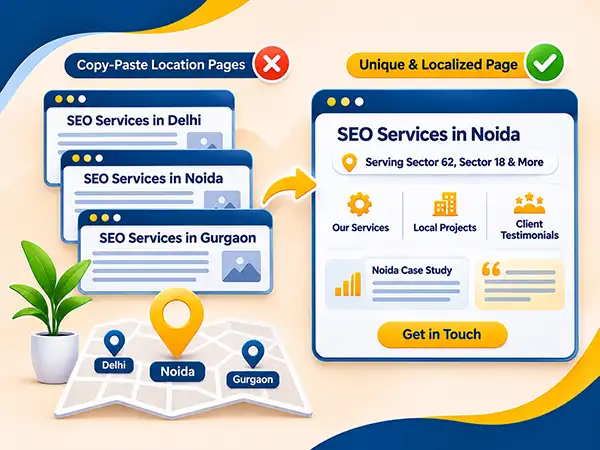
What happens in practice is that an agency may end up posting practically identical pages such as “SEO Services in Delhi,” “SEO Services in Noida,” and “SEO Services in Gurgaon.” Aside from the names of the locations, all the other components of the pages remain unaffected.
Why It Hurts
Pages dedicated to localities must provide worthwhile information about services offered in each region. In contrast, duplicate pages do not provide anything essential and may not even be especially helpful for the searchers.
Google may treat such pages as duplicate or low-value and not index them. Moreover, near-duplicate pages are also hard to keep accurate and up to date.
Businesses often make this mistake while trying to rank in several areas.
How to Fix It
Ensure there is a distinct aim for each location page and incorporate information that applies specifically to that locality.
One of the examples may include a service page for Noida that explains how the business works with companies in Sector 62 or Sector 18 if those are indeed locations served. Do the same for Gurgaon: show the projects done there and what local clients need.
Make sure the page states which areas you serve and includes local case studies and testimonials.
To check if the page has enough unique information, use the following simple rule: if changing the name of the locality makes the whole page applicable to another location, the page probably lacks unique content.
In general, it is better to create a few strong location pages instead of numerous not very informative ones.
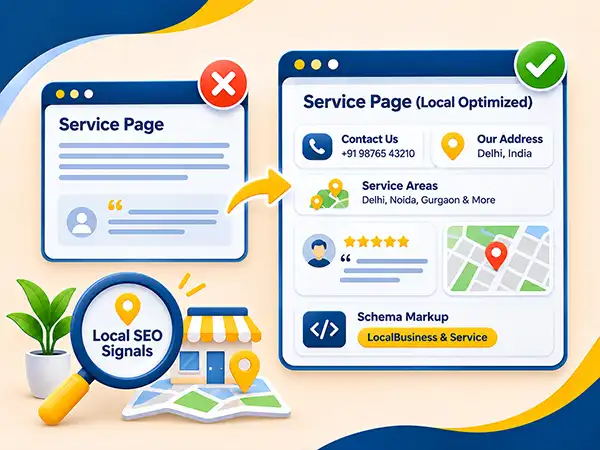
Mistake 5: Missing Important Local SEO Signals
What It Looks Like
A service page may not show the business address, service area or contact number, or any other information relevant for locating the business. Some businesses put generic testimonials without mentioning the specific service offered or the client context.
Others ignore structured data, a standardized way to help search engines interpret information regarding a business or service.
Why It Hurts
Local details will assist a potential customer in identifying if the business operates in their area, how to reach the business, etc. Missing or inconsistent details would confuse the potential customer.
Structured data gives search engines extra context, but it does not guarantee better rankings or rich results.
For local businesses, local details should help customers, not be a place to stuff location keywords.
How to Fix It
Check your service pages and ensure that they include the following aspects where applicable:
- Essentials of business: Show the accurate contact data and the location of the business if necessary.
- Location of services: Indicate the places where the services are really provided.
- Local evidence: Place real reviews and examples from the appropriate clients.
- Map: Add a map if there is a physical address for customers.
- Schema markup: Use relevant LocalBusiness and Service structured data only when appropriate.
Be consistent with your business name, phone number, and address on your site and other listings.
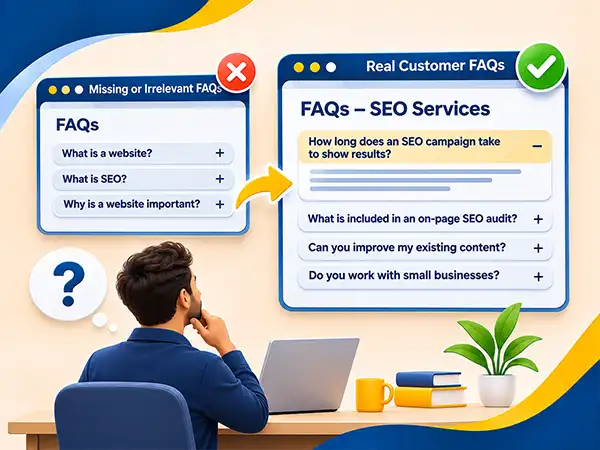
Mistake 6: Missing Real Customer FAQs
What It Looks Like
Some service pages do not contain an FAQ section. On other pages, irrelevant questions are answered without being helpful to prospective customers.
To illustrate, a website development business may seem to respond to the question “What is a website?” but will fail to cover much more important questions such as project timeline, maintenance, cost, and information that should be provided by customers.
Why It Hurts
Visitors may not call if the page does not answer their basic questions.
Good FAQs answer real customer questions, even if they do not use the target keyword. However, FAQs alone do not guarantee better rankings.
How to Fix It
Obtain real inquiries from sales dialogues, client messages, client support demands, as well as relevant Google search results. Google’s People Also Ask section allows you to spot inquiries that individuals frequently make regarding the topic.
Select inquiries directly related to the service.
An SEO agency, for instance, can offer answers to such questions as:
- How long does an SEO campaign take to show results?
- What is included in an on-page SEO audit?
- Can you improve my existing content?
- Do you work with small businesses?
Make every answer straightforward. Give the answer right away in the first one or two sentences and then, if necessary, provide explanations.
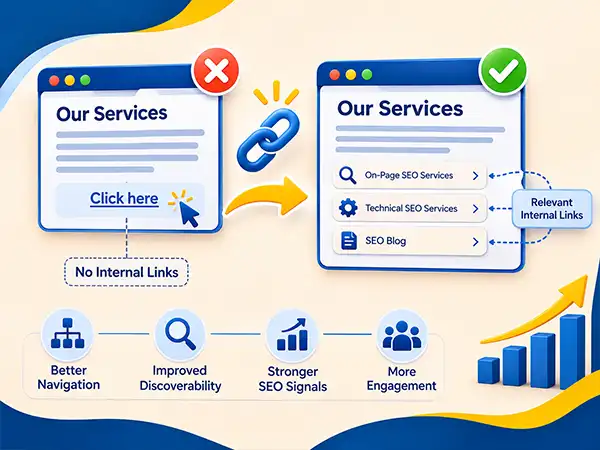
Mistake 7: Neglecting Internal Linking
What It Looks Like
The service pages may not be linked internally from other pages on the site. The page may only be reachable by direct URL or by vague links like “click here”.
Occasionally, companies may create several relevant service pages without linking them to the relevant blogs and service pages.
Why It Hurts
Internal linking makes the process of navigating a website easier for users as well as assisting search engines in finding pages and establishing relationships among them.
If significant service pages get very few internal links, they may become much harder to discover naturally on the site. Additionally, general anchor texts provide insufficient context regarding the destination.
How to Fix It
Create links pointing to important service pages from relevant pages on your website.
For instance, an article on how to improve website rankings on Google or why a site is not ranking on Google can provide links to your page that describes in detail the on-page SEO services you offer. If there is a related article on website speed, this could provide references to the technical SEO services page.
- Provide descriptive anchor text so that readers know what to expect from the link.
- Instead of saying: Click here to learn more.
- Better say: Check out our on-page SEO services in Delhi.
In addition, link related pages among themselves where it is helpful for visitors. Make sure to incorporate essential pages in your website navigation as needed.
Don’t include links only for the purpose of increasing their number. Each link should help potential customers get related information or achieve some goal.
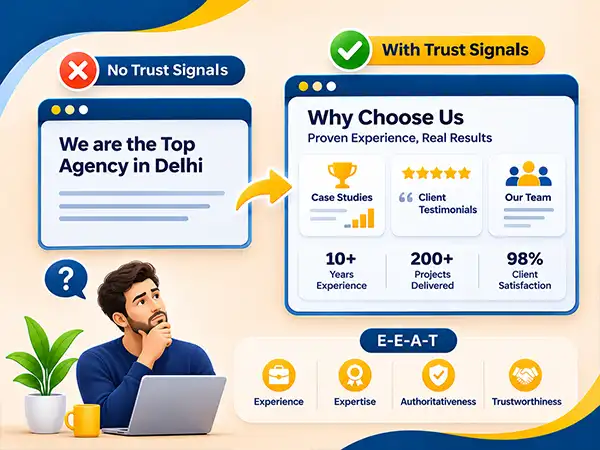
Mistake 8: Failing to Include Trust Signals
What It Looks Like
A services page makes sweeping statements like “We are the top agency in Delhi,” without giving any substantiation. There are no legitimate reviews, case studies, information about their team members, specifics about their projects, or adequate information about their business in general.
Potential clients are required to believe in the claims without witnessing any proof that backs them.
Why It Hurts
Finding a service provider involves risks. People seek information about their experience in this field, their comprehension of the task, and their capability to deliver according to expectations.
Google’s Search Quality Rater Guidelines use E-E-A-T: Experience, Expertise, Authoritativeness, and Trustworthiness. It is not a single ranking factor you can switch on. It describes what a trustworthy page looks like.
Lack of supporting evidence may result in a loss of confidence in the service, even if the service description is clear and precise.
How to Fix It
Back up your assertions with proof.
Add short case summaries: the problem, the work done, and the result. Use real testimonials with authorized permissions, give details about those responsible for the service delivery, and supply exact data.
For instance, a web development company might describe how it reformatted a client’s website, present the changes made, and include actual results where possible.
Avoid fabricating customer reviews, accomplishments, skills, or performance indicators.
Essentially, trust signals should help the visitors realize why they should opt for your firm. A number of comprehensive examples are far more convincing than groundless proclamations about being the best.
Mistake 9: Using Weak CTAs and Ignoring Mobile Performance
What It Looks Like
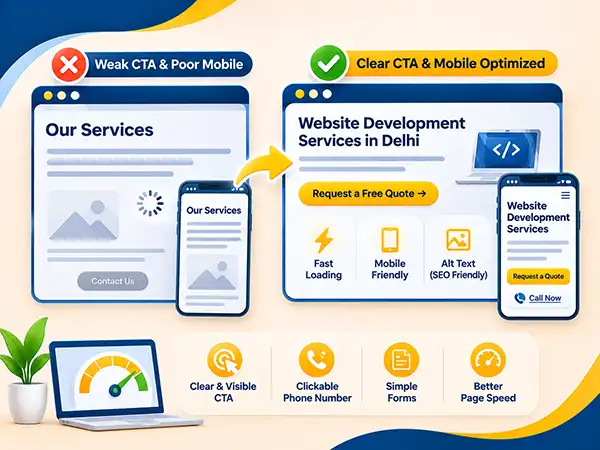
A service page may provide a lot of information about the company; however, it places its only contact button at the bottom of the page. Phone numbers are not clickable, forms are hard to fill in, and large pictures increase the loading time.
Images could lack alternative text, and information may be displayed poorly on small screens.
Why It Hurts
Customers should not have to search for a way to connect with the company. If there is no call to action, the page may receive a minimal number of inquiries, even if it has useful information.
Poor performance on mobiles makes the situation even worse. Slow loading, unconventional page layout, and difficult navigation may prevent users from receiving needed information.
How to Fix It
Add a clear call to action near the top and repeat it at useful points in your content.
Use phrases such as “Request a Free Quote”, “Request a Free Consultation” if they accurately describe the call to action. Make telephone numbers clickable and keep your forms simple and short enough for filling out on mobile devices.
Optimize images using proper image sizes, image compression, and effective image formats. Provide relevant alt text for images with meaning for visually impaired users.
After this, check your page speed and mobile usability performance with the help of tools like Google PageSpeed Insights.
To get more detailed analysis of technical issues influencing page speed performance, check out our technical SEO audit checklist.
Mistake 10: Failing to Update Service Page Content
What It Looks Like
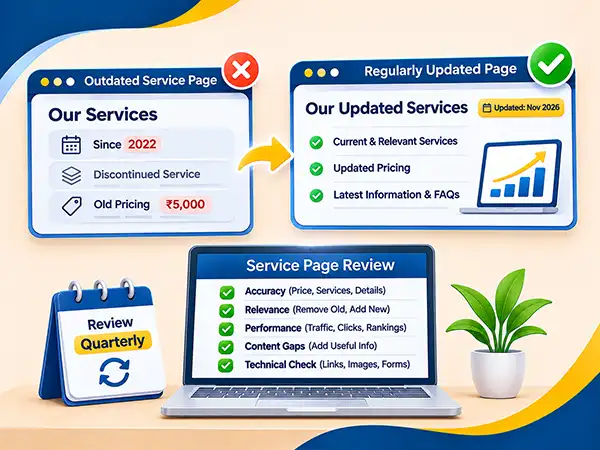
The page may show old years, discontinued services, outdated prices or data nobody tracks.
Some businesses only change the publication date or post pages one time and do not verify the new information that they provide.
Why It Hurts
Outdated information can influence potential customers negatively, which leads to the loss of trust in the business. Incorrect price tags, outdated services, and broken links can stop people from moving further.
How to Fix It
To ensure your service pages remain effective, review them quarterly or whenever a change occurs in your services, pricing, service areas, or business processes.
When reviewing your service pages, ensure that the following aspects are checked:
- Accuracy: Make sure the pricing, services, and business details have not changed.
- Relevance: Remove outdated information and add new answers to customer questions.
- Performance: Analyze the search impressions, clicks, ranking, and inquiries.
- Content gaps: Add useful explanations where visitors are still looking for information.
- Technical issues: Check the internal links, images, forms, and mobile optimization.
Do not just refresh old content to change the date. Make useful improvements that will help customers understand your service better and help them make smart decisions.
Quick Self-Check: Is Your Service Page Making These SEO Mistakes?
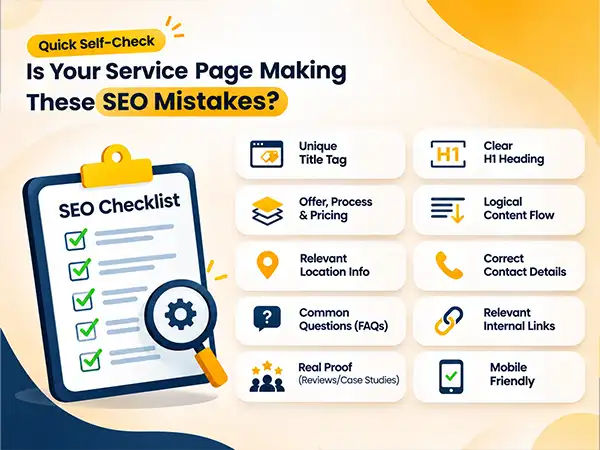
This checklist can help you discover possible on-page SEO errors present on your website.
Each No is a page issue to fix first.
- Does the page have a title tag that is unique and informative?
- Does the H1 indicate the service offered?
- Does the page explain what you offer, the process and pricing?
- Are headings and paragraphs written in a logical order?
- Is each location page providing relevant information for the location?
- Are your contact details and service areas correct?
- Does the page respond to popular questions asked by the customers?
- Is it linking to relevant services and blog posts?
- Does the content have real testimonials, case studies, or other proof?
- Is the page usable on a mobile phone?
Conclusion: Fix Your On-Page SEO and Improve Your Service Pages
A services page is more than just a listing of the products or services your business can provide; it also aids search engines in recognizing what your business provides and offers customers everything they would need to make up their minds about contacting you.
Weak headings, copy-paste location pages, few internal links, missing trust signals, and old content hold a service page back. Fixing these issues makes the page easier to use and trust.
Pick the most critical issues to address first. Start with the headline, then match the content to customer needs, correct the location details, and add clear contact options. Check the results after making the changes.
If your website does not attract enough of the right visitors to convert into leads, you can reach out to Battersea Web Expert for all your on-page SEO requirements.” Link “on-page SEO” to the On-Page SEO Company in Delhi page.
Frequently Asked Questions About On-Page SEO Mistakes
What Are the Most Common On-Page SEO Mistakes?
The most common mistakes are weak title tags, vague H1s, copy-pasted location pages, poor internal linking, and outdated content. Missing local details and poor mobile usability also hurt service pages.
How Do I Check My Service Page for SEO Problems?
There are several steps in checking your service page for potential SEO problems, such as checking if the title tag is effective, the H1 is clear, the content is relevant, internal links are present, and whether the CTA is easy to find and use. Use Google Search Console to check visibility of the page, including data on search impressions and clicks, and the count of queries. Google PageSpeed Insights will help you to find the issues that influence the functioning of the page negatively.
How Often Should I Update My Service Pages?
It is advised to check relevant service pages at the very least on a quarterly basis and whenever there are updates to the services, pricing, and business information.
Can I Do On-Page SEO for Service Pages Myself?
Yes. Many aspects of your service pages can be improved, and a number of free services like Google Search Console and PageSpeed Insights can assist in the process. For complicated issues, involving professionals may be necessary.
How Long Does It Take for On-Page SEO Changes to Show Results?
There is no fixed timeline. Changes usually take a few weeks to a few months to show results. The search engines will need some time to find and process the changes, while the results will depend on the level of competition in the niche, the authority of your website, the frequency of crawling, and many factors concerning the improvements made to the page.